
You set up your first AI workflow in Gumloop, hit “run,” and expect it to handle the work for you. Instead, you notice something else happening first. Your credits start dropping faster than you anticipated.
A simple five-step pipeline using Claude Sonnet can consume over 100 credits per run. At that rate, scaling to 200 runs a month quickly exhausts the 20,000 credits included in the Pro plan, often well before the month is over.
The credit system is only part of the picture. Gumloop offers roughly 100 to 125 native integrations. On its own, that seems reasonable. But when compared to platforms like Zapier with over 8,000 integrations, or Make with more than 3,000, the gap becomes more noticeable in practical use.
There is also the question of usability. Despite being positioned as a no-code solution, users on G2 and Reddit often report needing 50 to 100 hours before they feel comfortable building reliable workflows. For teams expecting faster onboarding, that learning curve can become a bottleneck.
Reliability is another factor. From December 2025 to March 2026, Gumloop reported 99.73 percent uptime. While that may sound high, it falls short of the 99.9 percent or higher standard that many teams consider necessary for critical automation.
These issues tend to surface quickly for the people relying on these systems every day. Marketing teams building lead enrichment pipelines, operations managers automating internal processes, solopreneurs managing tight credit limits, and small development teams looking for flexibility often find themselves needing a more predictable solution.
This matters even more as adoption grows. According to Gartner, 33 percent of enterprise software is expected to include agentic AI by 2028, which makes choosing the right automation platform a decision with long-term impact.
With that in mind, I reviewed more than 20 AI automation platforms, comparing user feedback, pricing structures, and real-world performance. The result is a list of 10 Gumloop alternatives that address these gaps more effectively. Here are the top options to consider in 2026.
TL;DR
If you need the widest integration network with the easiest setup, Zapier is still the safest bet. For complex visual workflows at a fraction of the cost, Make gives you more power per dollar. Technical teams wanting full control should look at n8n, which lets you self-host with unlimited executions for free. And if you want pre-built AI agents that work out of the box, Lindy AI gets you from zero to a working agent faster than anything else I researched.
Key Takeaways
- Every tool on this list offers a free tier or free trial, so you can test before committing
- Pricing ranges from completely free (n8n and Activepieces self-hosted) to $2,000+/month (Workato enterprise)
- Integration counts range from 100+ (Relay.app) to 14,000+ (Workato)
- Two open-source, self-hostable options exist: n8n and Activepieces
- n8n charges per workflow execution, not per step, so a 500-step workflow costs the same as a 5-step one
- All 10 tools support AI model access (GPT, Claude, Gemini) either natively or through integrations
Why Look for Gumloop Alternatives?
Gumloop has real strengths. Its visual workflow builder is intuitive, and the AI-native approach is forward-thinking. But several friction points push users to explore other options. Here are the biggest ones I found during my research.
Credit-Based Pricing That Scales Unpredictably
Gumloop's pricing revolves around credits, and costs add up fast. Standard AI model calls (GPT-4.1 Mini, Claude Haiku) cost 2 credits each. Advanced models (GPT-4.1, Claude Sonnet) cost 20 credits per call.
Key point: A 5-step workflow using advanced AI models burns 100+ credits per run. The Pro plan at $37/month gives you 20,000 credits, which works out to roughly 200 advanced AI runs per month.
It gets worse with batch operations. Enriching 100 contacts costs 6,001 credits (1 trigger + 60 credits per contact). That single workflow eats nearly a third of your monthly Pro plan allocation. According to a CheckThat.ai pricing analysis, "you can't accurately predict monthly costs until you've run production-representative workflows for 1 to 2 months."
Limited Integration Ecosystem
Gumloop offers around 100 to 125 native integrations. That covers the basics like Slack, Google Drive, and HubSpot. But compare that to Zapier's 8,000+, Make's 3,000+, or even n8n's 400 to 500+ connectors, and the gap becomes clear.
You can connect Gumloop to Zapier to access more apps, but that adds a second subscription and another point of failure. For teams building company-wide automation across dozens of tools, this limitation matters.
Learning Curve Despite No-Code Branding
Gumloop calls itself a no-code platform. But according to user reviews on G2 and product review sites, most users say onboarding feels like you're dropped into the deep end without a life vest. Users report needing 50 to 100 hours to feel comfortable.
The issue is that building workflows requires thinking in logic and systems, not just clicking buttons. Without structured onboarding, minimal tooltips, and documentation that sometimes raises more questions than it answers, new users struggle.
Reliability and Maturity Concerns
Gumloop's status page showed 99.73% uptime from December 2025 through March 2026. That translates to roughly 2 hours of downtime per month, which is below the 99.9%+ standard for tools running critical business processes.
Multiple reviewers mention occasional instability with long-running flows. And here is what really stings: credits get consumed even when workflows fail. The platform is young (founded in 2023) and still maturing, despite raising over $70M in funding including a $50M Series B in March 2026, according to TechCrunch.
What to Look for in a Gumloop Alternative
Before jumping into specific tools, here are the seven criteria I used to evaluate each platform. These reflect the most common pain points Gumloop users report.
- Pricing transparency: Look for flat per-task or per-operation pricing instead of opaque credit systems. You should be able to predict your monthly bill before running a single workflow.
- Integration depth: Check the actual number of native app connections. More integrations mean fewer workarounds and custom-built connectors.
- AI model access: The best platforms let you use GPT, Claude, Gemini, and other models. Some let you bring your own API key, which can dramatically reduce costs.
- Ease of use: How fast can a non-technical user build their first workflow? Good onboarding, template libraries, and intuitive visual builders matter more than marketing claims.
- Scalability: What happens to your costs at 100, 1,000, and 10,000 operations per month? Some tools get expensive fast. Others stay flat.
- Self-hosting option: For teams that need data sovereignty or want to eliminate per-execution fees entirely, self-hosting is a major advantage.
- Community and support: Active forums, quality documentation, and responsive support teams save hours of debugging. A tool with 230,000 community members will solve your problem faster than one with email-only support.
10 Best Gumloop Alternatives
Here are the 10 best alternatives I found, ranked by overall value for teams switching from Gumloop. Each tool solves different problems, so I have included specific guidance on who each one works best for.
1. Zapier: Best for Integration Breadth and Ease of Use
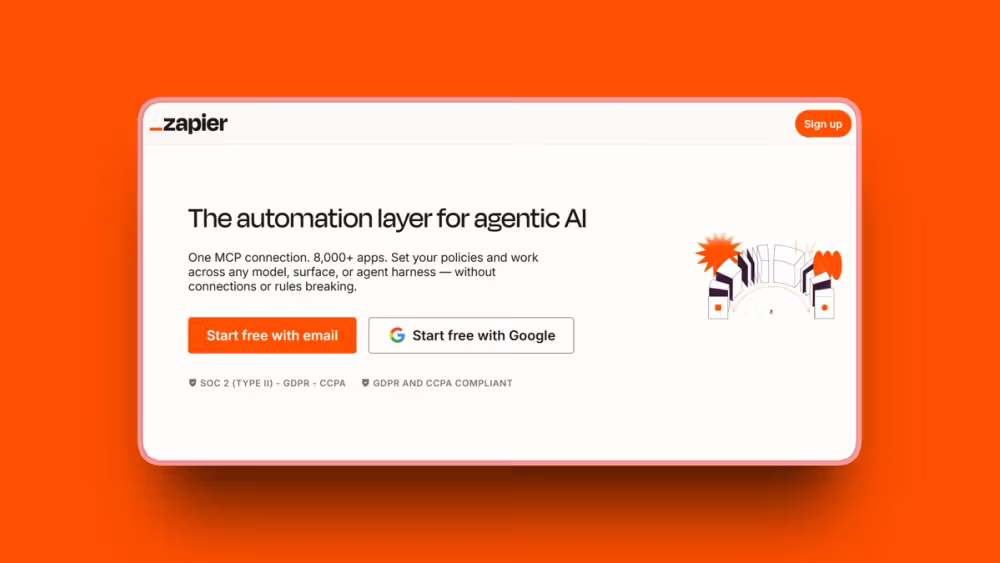
Zapier is the automation tool most people start with, and for good reason. With 8,000+ native integrations, it connects to more apps than any other platform on this list. If the tool you use has an API, Zapier probably already supports it.
Here's what matters: What makes Zapier stand out for Gumloop users is the contrast in approach. Where Gumloop gives you a blank canvas and asks you to think in systems, Zapier walks you through setup step by step. Most users can build their first "Zap" in under 10 minutes.
Key Features
- 8,000+ native app integrations, more than any other automation platform
- Zapier Copilot builds workflows from natural language descriptions
- Zapier Agents create AI-powered agents that take actions across connected apps
- Zapier MCP provides an integration layer for AI applications (announced at ZapConnect 2025)
- Tables, Forms, and Chatbots included in all plans for data storage and lead capture
- Multi-step Zaps with conditional logic, filters, and paths on paid plans
- 450+ AI-specific integrations for connecting to AI tools natively
Pros
- Easiest learning curve of any automation platform; no coding required
- 8,000+ integrations is unmatched in breadth, meaning fewer workarounds
- Exceptional uptime and reliability (99.9%+ for production Zaps)
- Largest template library helps you recreate Gumloop workflows quickly
- Zapier Copilot lets you describe workflows in plain English
- 2M+ businesses use it, so community support and tutorials are everywhere
- AI features (Agents, MCP, Chatbots) included across plans
- Free plan available with 100 tasks per month to get started
Cons
- Most expensive per-task pricing at scale (10,000 tasks can reach $600/month vs. Make at roughly $29/month)
- Limited support for complex, branching logic compared to Make or n8n
- No live chat or phone support; Team plan unlocks priority email
- Can become cost-prohibitive for high-volume automation
- Premium apps (about 70 exclusive connectors) require paid plans
Pricing
- Free: 100 tasks/month, 2-step Zaps, Zapier Copilot included
- Professional: From $19.99/month (annual), 750 tasks/month, multi-step Zaps, premium apps
- Team: From $69/month (annual), 25 users, shared workflows, SAML SSO
- Enterprise: Custom pricing, unlimited users, advanced admin
User Reviews
Zapier has a 4.5/5 stars rating on G2. Users praise the integration breadth and how quickly they can connect apps without any technical background. The most common compliment is that "it just works" across thousands of app combinations.
Best For
- Non-technical teams that need to connect many apps quickly
- Small businesses and solopreneurs who want the simplest setup process
- Anyone migrating from Gumloop who needs broader integration coverage immediately
2. Make (formerly Integromat): Best for Complex Visual Workflows

Make is where you go when Zapier feels too simple and Gumloop feels too unpredictable. Its visual scenario builder shows exactly how data flows between each module, making complex multi-step workflows easier to build, audit, and debug.
The pricing difference is dramatic. At 10,000 operations per month, Make costs a fraction of what Zapier charges. For Gumloop users frustrated by credit unpredictability, Make's per-operation model is refreshingly straightforward.
Key Features
- 3,000+ app integrations with 30,000+ automation actions
- Visual scenario builder that maps data flow between modules clearly
- Make AI Agents (launched April 2025) for autonomous decision-making within workflows
- 400+ AI app integrations including ChatGPT, Claude, Gemini, and Grok
- Branching logic, routers, and iterators for complex multi-path workflows
- Full-text log search and 30-day log storage on Pro plans
- Custom variables and API endpoints (300+) on Pro plans
Pros
- Visual workflow builder is the strongest on this list; you see exactly how data moves
- Most cost-efficient per-operation pricing (dramatically cheaper than Zapier at scale)
- Highly flexible for complex, multi-step workflows with branching logic
- Good free tier (1,000 operations/month) for getting started
- AI Agents add autonomous decision-making without leaving the platform
- Enterprise apps and advanced features available on Pro plans
- Strong for teams migrating complex Gumloop workflows
Cons
- Steeper learning curve compared to Zapier, especially for beginners
- Documentation lacks detailed examples in many areas
- Customer support described as "unresponsive" in some G2 reviews
- Each module action counts as one operation (reading, searching, creating, updating, deleting)
- No self-hosting option available
Pricing
- Free: 1,000 operations/month, 2 active scenarios, 15-minute intervals
- Pro: From $9/month (annual), 5,000 operations, unlimited scenarios
- Enterprise: Custom pricing, 24/7 support, overage protection
User Reviews
Make has a 4.6/5 stars rating on G2 and a 4.8/5 on Capterra. Users consistently praise the visual data flow and cost efficiency, calling it "the best value in automation" for teams that need complex workflows.
Best For
- Teams building complex, multi-step workflows with conditional logic
- Cost-conscious users who need more operations per dollar than Zapier
- Anyone who wants to visually see and debug how data moves through their automation
3. n8n: Best Open-Source and Self-Hosted Option
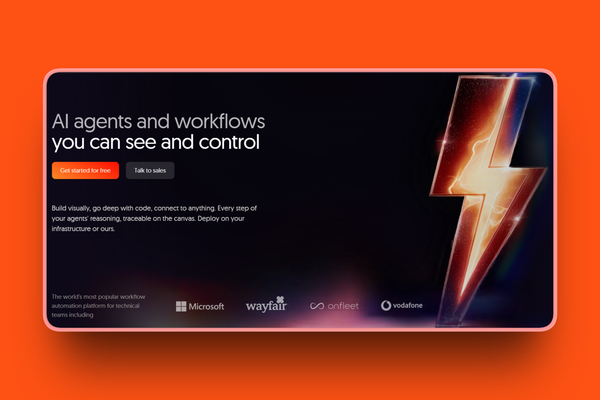
n8n is the tool I recommend for technical teams who want maximum control and minimum cost. Self-host it on your own server and you get unlimited workflow executions for free, forever. No credits, no per-task fees, no monthly caps.
Key point: The pricing advantage over Gumloop is how n8n counts executions. A workflow with 500 steps counts as one execution. In Gumloop, that same workflow would burn through credits for every single step and AI call.
Key Features
- 400 to 500+ integrations with 2,200+ community nodes available for self-hosted users
- Self-hosted Community Edition is completely free with unlimited executions
- Per-execution pricing (not per-step), so complex workflows cost the same as simple ones
- AI Agent nodes with Tools Agent and Conversational Agent capabilities
- Vector store support for RAG (Retrieval-Augmented Generation) workflows
- MCP workflow tools added March 2026 for AI agent integration
- Full code access with JavaScript and Python support alongside visual nodes
Pros
- Free self-hosting with unlimited executions (only pay for cloud VPS at $5 to $40/month)
- Execution-based pricing means a 500-step workflow costs the same as a 5-step workflow
- Highly flexible: combine visual nodes with custom code (JavaScript, Python)
- Active community with 230,000+ users sharing workflows and solutions
- Full data sovereignty when self-hosted; your data never leaves your servers
- $2.5 billion valuation after a $180M Series C in October 2025, according to n8n's official announcement, shows strong long-term viability
- Removed active workflow caps from all plans in 2025
Cons
- Steepest learning curve of all tools on this list
- Debugging is difficult due to vague error messages and limited documentation
- Self-hosting requires server management knowledge (Docker, Linux basics)
- Cloud pricing escalates at high volumes (Business plan is $800/month)
- Setting up complex operations (CRM writes, webhook handling) requires technical knowledge
Pricing
- Self-Hosted Community: Free, unlimited executions, unlimited workflows, all integrations
- Cloud Starter: From $24/month (EUR), 2,500 executions/month
- Cloud Pro: From $60/month (EUR), 10,000 executions/month
- Cloud Business: From $800/month (EUR), 40,000 executions, SSO/SAML
- Enterprise: Custom pricing, unlimited executions, dedicated support
User Reviews
n8n has a 4.8/5 stars rating on G2. Users praise the unlimited self-hosted executions as the most cost-effective path to automation at scale. Developers and technical teams consistently highlight the freedom to combine visual nodes with custom code.
Best For
- Technical teams and developers who want full control over their automation infrastructure
- Organizations that need data sovereignty and self-hosting for compliance reasons
- Budget-conscious teams willing to manage their own server for unlimited free executions
4. Lindy AI: Best for Pre-Built AI Assistants
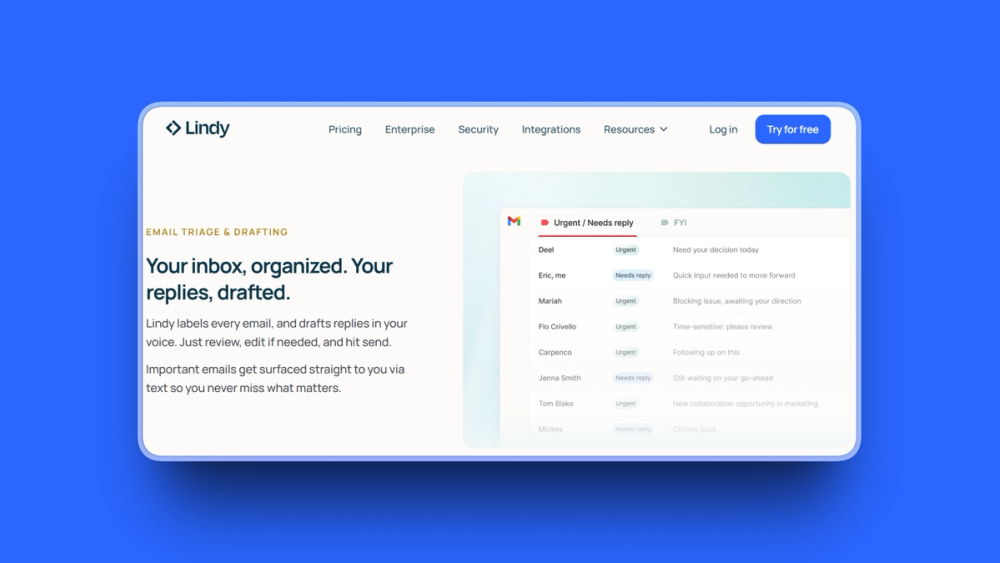
Lindy AI takes a completely different approach to automation. Instead of building workflows node by node, you describe what you want in plain English, and Lindy creates an AI agent that does it. With 100+ pre-built templates, you can have a working agent running in minutes.
Here's what matters: For Gumloop users frustrated by the learning curve, Lindy offers the fastest path from "I need this automated" to "it's done." The tradeoff is less granular control over workflow logic.
Key Features
- 100+ pre-built agent templates covering sales, support, operations, meetings, and email
- Natural language setup where you describe what you need and Lindy builds it
- 234 native integrations plus 7,000+ via partnerships with Pipedream Connect and Apify
- Lindy 3.0 Agentic Reasoning that navigates web browsers and self-corrects errors
- Meeting recording and AI note generation with automatic follow-up scheduling
- Inbox management that reads and drafts replies in your voice
- Multi-agent workflows (chains of Lindies) for complex multi-step processes
Pros
- Fastest setup of any AI agent platform; no coding or systems thinking required
- 100+ ready-made templates eliminate the blank slate problem entirely
- Lindy 3.0 Agentic Reasoning self-corrects without human intervention
- Strong compliance credentials: SOC 2 Type II, HIPAA, and GDPR certified
- 7,000+ app connections via partnerships expand reach significantly
- iMessage integration provides mobile access to your AI agents
- Meeting AI and inbox management are particularly strong use cases
Cons
- Credit-based pricing can be unpredictable (similar complaint as Gumloop)
- Newer platform with some performance inconsistencies reported
- Meeting transcription accuracy issues in specialized contexts (medical, legal)
- Limited control over agent logic compared to developer-focused tools like n8n
- Slow customer support response times noted in some reviews
Pricing
- Free: 400 credits/month
- Plus: $49.99/month, standard usage allocation
- Pro: $99.99/month, 3x capacity of Plus
- Max: $199.99/month, 7x capacity of Pro
- Enterprise: Custom pricing, SSO, SCIM, audit logs, dedicated support
User Reviews
Lindy AI has a 4.9/5 stars rating on G2. Users highlight how quickly they can set up a functional AI agent using natural language and pre-built templates, without any technical background. The meeting AI and email management features receive the most consistent praise.
Best For
- Non-technical users who want AI agents without building workflows from scratch
- Teams that handle heavy email, meeting, and CRM workloads
- Anyone who values speed of setup over granular workflow control
5. Relevance AI: Best for AI Agent Deployment
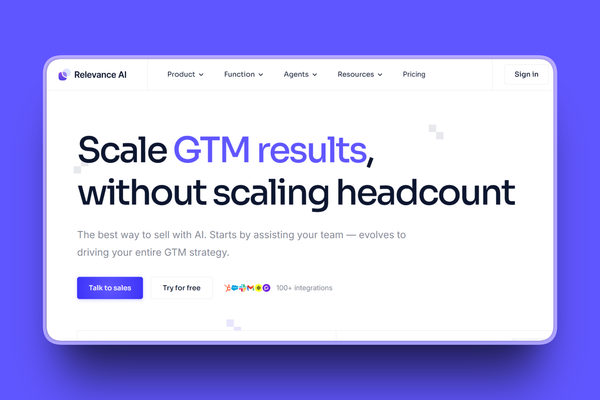
Relevance AI focuses on one thing: building teams of AI agents that work together. Its "Workforce" feature lets you deploy multiple specialized agents (sales, marketing, research, support) that hand off tasks to each other automatically.
Key point: Where Gumloop gives you a single workflow builder, Relevance AI gives you an entire AI workforce that operates across departments. It is the most ambitious tool on this list in terms of what it tries to do.
Key Features
- Multi-agent "Workforce" orchestration where agents hand off tasks automatically
- 2,000+ integrations connecting to major business tools
- "Invent" tool that creates agents from text prompts
- Model-agnostic AI supporting OpenAI, Anthropic, Google, and other major LLMs
- Agent Modes including Chat (all plans), Calling, and Meeting (Team plan and above)
- A/B testing for agents to optimize performance on Team plan and above
- Analytics dashboard for tracking agent performance and outcomes
Pros
- Multi-agent Workforce concept is genuinely unique in the market
- "Invent" feature makes agent creation as simple as describing what you need
- Model-agnostic: use any major LLM (OpenAI, Anthropic, Google) without lock-in
- Versatile: sales agents, marketing agents, research agents, invoice processing agents
- Good for non-technical users building complex agent stacks
- SOC 2 and GDPR compliant for enterprise requirements
Cons
- Team plan at $234/month is steep for small teams
- Onboarding can be confusing for first-time users
- Learning curve with error feedback and debugging
- Small G2 review base (20 reviews) suggests the platform is still building adoption
- Free plan limited to 200 actions per month
Pricing
- Free: 200 actions/month + $2 bonus vendor credits
- Pro: $19/month (annual), 30,000 actions/year, 2 build users
- Team: $234/month (annual), 84,000 actions/year, 5 build users, 45 end users
- Enterprise: Custom, unlimited actions, SSO/SAML, dedicated account manager
User Reviews
Relevance AI has a 4.3/5 stars rating on G2. Users praise the multi-agent Workforce feature as genuinely differentiated, calling it "the future of how businesses will use AI." The "Invent" tool for creating agents from text descriptions gets frequent positive mentions.
Best For
- Teams that need multiple AI agents working together across departments
- Sales and marketing teams building automated research and outreach workflows
- Organizations ready to invest in multi-agent AI systems at scale
6. Activepieces: Best Open-Source Budget Alternative
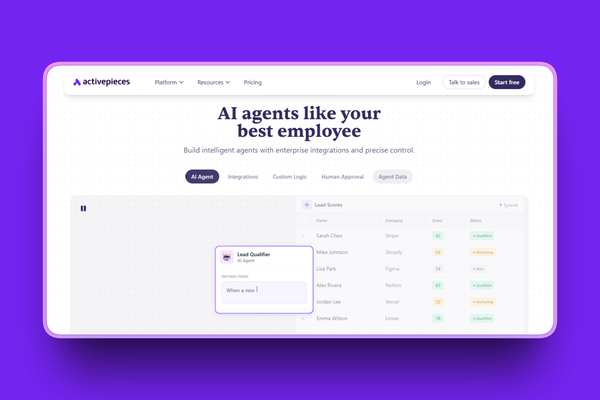
Activepieces is the best option for teams that want open-source flexibility without n8n's steep learning curve. It is MIT-licensed, so you can self-host it for free with unlimited tasks. The cloud version starts at $25/month for unlimited tasks, which is hard to beat.
Key point: For Gumloop users frustrated by credit-based pricing, Activepieces eliminates that problem entirely. Self-host it and you pay nothing for tasks. Use the cloud version and you get unlimited tasks for a flat monthly fee.
Key Features
- 400+ open-source integrations (called "pieces") with full code transparency
- Self-hosted Community Edition is completely free with unlimited tasks and flows
- AI agent builder v2 (released 2026) for building AI-powered workflows
- 280+ pieces available as MCP for use with Claude Desktop, Cursor, and Windsurf
- GPT-5 model support recently added alongside existing AI model support
- OpenTelemetry instrumentation for deep workflow monitoring
- Built-in AI SDK for adding AI capabilities to any workflow step
Pros
- Open-source (MIT license) means full code transparency and customization
- Self-hosted version is completely free with unlimited tasks and flows
- Cloud version at $25/month for unlimited tasks is among the best value on this list
- Clean, intuitive automation builder accessible for non-technical users
- Supports advanced logic: loops, conditions, webhooks, and JavaScript
- Active development roadmap with responsive community
- MCP server support expands AI agent capabilities
Cons
- Limited video tutorials; documentation could be more comprehensive
- Some connectors require manual configuration
- No dedicated support for Community Edition (community-only help)
- Smaller integration library (400+) compared to Zapier (8,000+) or Make (3,000+)
- Still growing; some niche app integrations are missing
Pricing
- Self-Hosted Community: Free, unlimited tasks, unlimited flows, all integrations
- Cloud Free: 1,000 tasks/month, 2 active flows, 200 AI credits
- Cloud Plus: $25/month, unlimited tasks, 10 active flows, AI agents
- Cloud Business: $150/month, 50 active flows, 5+ users, API access
- Enterprise: Custom pricing, SSO, audit logs, self-hosted or cloud
User Reviews
Activepieces has a 4.8/5 stars rating on G2. Users consistently highlight it as the best budget alternative for teams that want Zapier-like functionality with full code transparency and zero per-task fees when self-hosted.
Best For
- Budget-conscious teams that want unlimited automation without per-task fees
- Organizations that need an open-source, self-hostable automation platform
- Users who want a simpler alternative to n8n with a less steep learning curve
7. Relay.app: Best for Human-in-the-Loop Automation
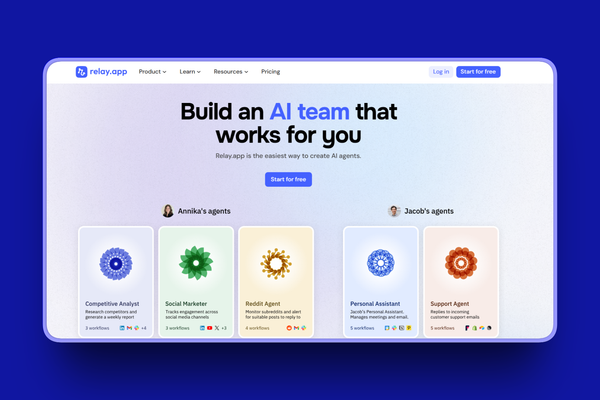
Relay.app is built by a team of ex-Google engineers who worked on Gmail and Google Calendar. Their big insight: not every step in a workflow should be fully automated. Sometimes a human needs to review, approve, or make a judgment call before things move forward.
Most importantly: This "human-in-the-loop" approach makes Relay.app unique on this list. While Gumloop and most other tools default to full automation, Relay lets you insert human checkpoints at any step. That is critical for workflows involving sensitive data, financial approvals, or content review.
Key Features
- Human-in-the-loop as a first-class feature with approval steps, task assignments, and data entry checkpoints
- AI built into every plan with support for GPT, Claude, and Gemini (not a separate add-on)
- Decision paths for defining when to involve humans vs. letting AI proceed
- 100+ app integrations with 101 new integrations shipped in January 2026 alone
- Native Tables (launched November 2025) for data storage within workflows
- Multiplayer roles for task assignment and team collaboration on Team plan
- Data extraction, classification, summarization, translation, and image generation via AI
Pros
- "By far the easiest to learn and use," according to multiple G2 reviewers
- Human-in-the-loop approach is a genuine differentiator, not an afterthought
- AI is built into all plans from day one, not sold as an expensive add-on
- Founded by ex-Google (Gmail/Calendar) team, resulting in polished UX
- Decision paths let you control exactly when automation needs human judgment
- Exceptional customer support; team is "quick to respond and genuinely helpful"
- Rapid integration growth: 101 new integrations across 22 apps in January 2026
Cons
- Integration count (100+) is smaller than Zapier (8,000+), Make (3,000+), or n8n (400+)
- Step caps can pause workflows when usage spikes unexpectedly
- Pricing described as "on the higher side" for smaller businesses
- Email-only support; community resources are still developing
- Limited how-to video content for complex automation scenarios
Pricing
- Free: 200 steps/month, 500 AI credits, 1 user
- Professional: $19/month (annual), 750 steps/month, 2,000 AI credits
- Team: $69/month (annual), 10 users, 2,000 steps/month, shared workflows
- Enterprise: Custom pricing, custom users, custom steps
User Reviews
Relay.app has a 4.9/5 stars rating on G2. Users love the human-in-the-loop approach, calling it "the only automation tool that truly understands not everything should be automated." The ease of use and polished interface receive consistent praise.
Best For
- Teams where specific workflow steps require human review or approval
- Organizations handling sensitive data, financial approvals, or content review
- Users who want AI-assisted automation with clear human oversight at critical points
8. Bardeen: Best for Browser-Based Automation
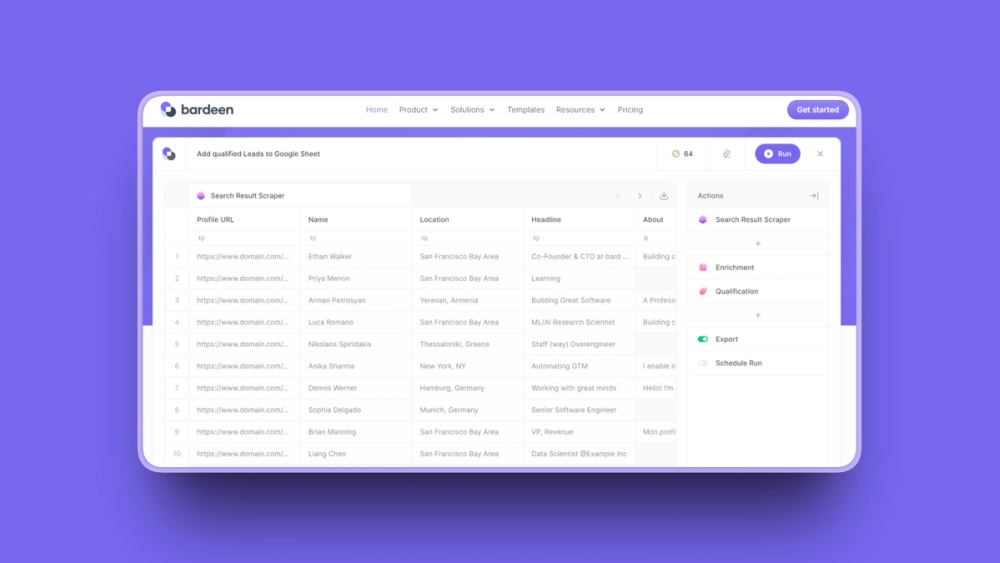
Bardeen takes a completely different approach from every other tool on this list. Instead of connecting apps through APIs, it works as a Chrome extension that automates tasks directly inside your browser. You can scrape web data, fill out forms, and trigger workflows without ever leaving the page you are on.
Key point: For Gumloop users who spend their time copying data between browser tabs, Bardeen eliminates that friction entirely. Its "Playbooks" let you set up automated workflows that run inside your browser with point-and-click simplicity.
Key Features
- Chrome extension that automates browser tasks directly on the page you are viewing
- Web scraping without code from 100+ popular websites using point-and-click
- "Playbooks" for creating automated workflows triggered from your browser
- AI Command Bar where you describe what you want and Bardeen builds the playbook
- AI-powered data extraction that pulls structured data from unstructured web pages
- Integrations with Gmail, Slack, Google Sheets, HubSpot, Salesforce, LinkedIn, Notion and more
- SOC 2 Type II, GDPR, and CASA certified for enterprise security requirements
Pros
- Browser-native architecture means automation happens where you already work
- Web scraping is genuinely no-code, with point-and-click simplicity
- AI Command Bar lets you describe automations in plain English
- Processes sensitive data locally in the browser, reducing cloud privacy risks
- SOC 2 Type II, GDPR, and CASA certified for compliance-conscious teams
- All accounts include 100 free credits per month to get started
- Ideal for sales teams doing lead research on LinkedIn, company websites, and CRMs
Cons
- Only works in Chrome/Chromium browsers; no support for Firefox or Safari
- Integration count is smaller than API-based platforms like Zapier or Make
- Credit system on paid plans can be confusing
- G2 reviews flag "expensive" as the top concern for Pro plan pricing
- Less suited for complex backend automation that does not involve browser interaction
- Smaller community compared to established tools like Zapier or n8n
Pricing
- Free credits: 100 credits/month included with all accounts
- Basic: $10/month, 100 credits/month, core automation features
- Premium: $50/month, 1,000 credits/month, premium playbooks and integrations
- Enterprise: Custom pricing, bulk credits, premium support
User Reviews
Bardeen has a 4.8/5 stars rating on G2. Users love the intuitive browser-based interface and how much time it saves on repetitive tasks like data scraping and lead enrichment. The most common praise is how natural it feels to automate tasks directly where you are already working.
Best For
- Sales teams doing lead research and data enrichment from websites and LinkedIn
- Marketers scraping competitor data, pricing, and content from the web
- Anyone who spends significant time copying and pasting data between browser tabs
9. Microsoft Power Automate: Best for Microsoft Ecosystem
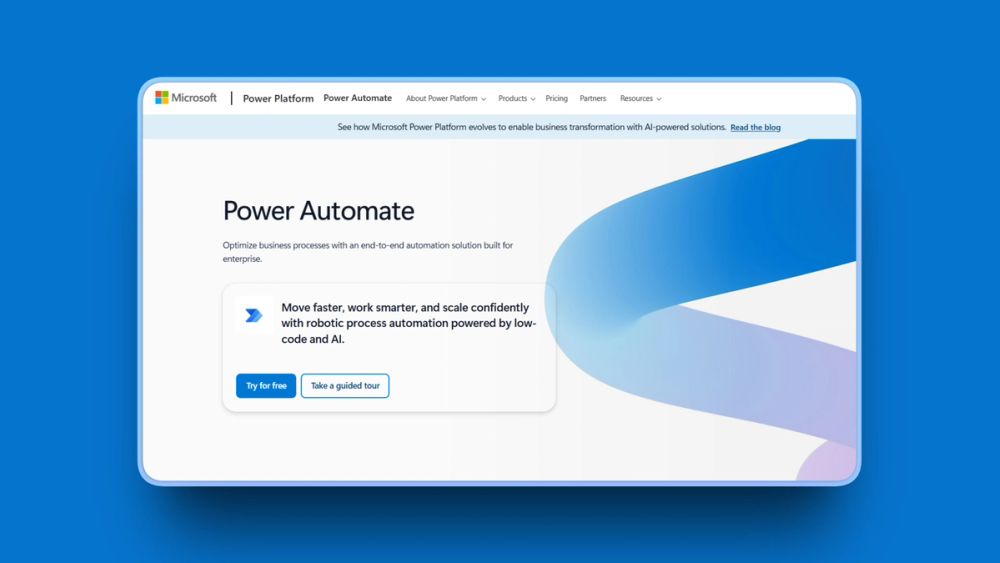
Microsoft Power Automate is the obvious choice if your team already runs on Microsoft 365. Basic automation with standard connectors is included in your existing M365 subscription at no extra cost. That alone makes it worth considering.
Key point: The platform also offers something most tools on this list do not: RPA (Robotic Process Automation) for desktop tasks. If you need to automate legacy systems that do not have APIs, Power Automate's desktop flows can record and replay clicks, keystrokes, and data entry.
Key Features
- 1,400+ connectors including deep Microsoft 365 integration (Teams, SharePoint, Outlook, Excel, OneDrive)
- RPA/desktop automation for recording and replaying actions on legacy systems without APIs
- AI Builder for low/no-code AI: form processing, object detection, text classification
- Copilot in Power Automate for creating flows from natural language descriptions
- Standard connectors included with Microsoft 365 subscriptions at no additional cost
- Process mining for analyzing and optimizing business processes
- Enterprise governance with RBAC, compliance, and audit trails
Pros
- Already included with Microsoft 365 subscriptions (huge ROI for existing Microsoft users)
- Deep integration with entire Microsoft ecosystem: Teams, SharePoint, Outlook, Excel, OneDrive
- RPA capabilities for automating legacy systems without APIs
- AI Builder for processing documents, images, and text without custom models
- Enterprise governance: RBAC, compliance controls, and audit trails built in
- 1,400+ connectors for broad compatibility
- Copilot makes flow creation accessible to non-technical users
Cons
- Premium connectors and RPA features require additional licenses ($15 to $215/month per user or bot)
- Steep learning curve for teams not already in the Microsoft ecosystem
- Error messages are often cryptic and hard to debug
- Limited community resources compared to Zapier or n8n
- Process complexity increases significantly when connecting to non-Microsoft tools
- Best suited only for organizations already invested in Microsoft 365
Pricing
- Included with M365: Standard connectors only, within daily API limits
- Premium: $15/user/month (annual), cloud flows, attended desktop flows
- Process: $150/bot/month (annual), unattended desktop flows
- Hosted Process: $215/bot/month (annual), includes Microsoft-hosted VM
User Reviews
Power Automate has a 4.4/5 stars rating on G2. Users praise the deep Microsoft 365 integration and the fact that basic automation comes free with their existing subscription. Teams already using Teams, SharePoint, and Outlook find it the most natural automation tool to adopt.
Best For
- Organizations already using Microsoft 365 (Teams, SharePoint, Outlook, Excel)
- IT departments needing RPA for legacy systems without APIs
- Enterprise teams requiring built-in governance, compliance, and audit trails
10. Workato: Best for Enterprise-Grade Automation
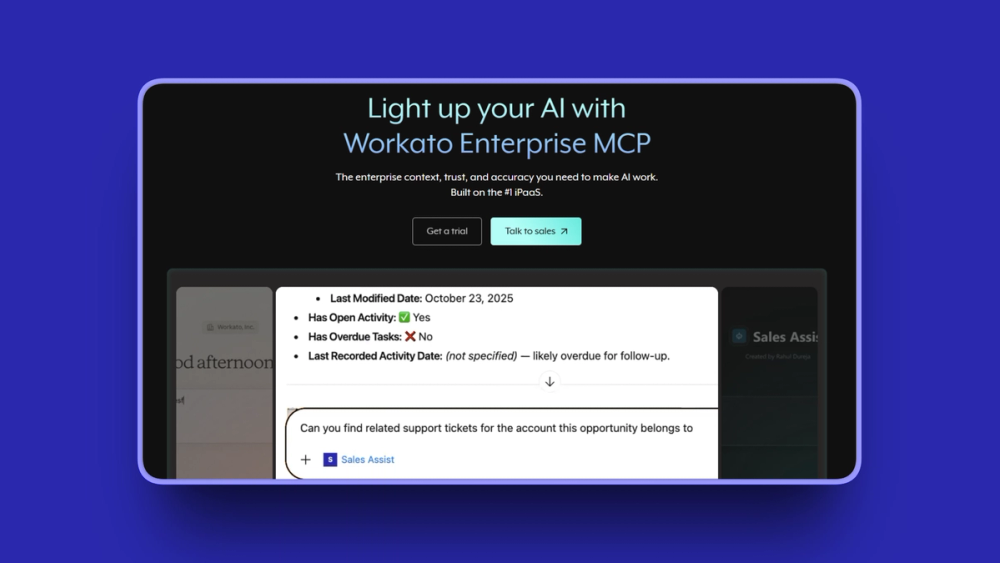
Workato is not for small teams or solopreneurs. It is the enterprise automation platform that Fortune 500 companies use when they need to connect thousands of systems with ironclad governance controls. Named a Leader in the 2026 Gartner Magic Quadrant for iPaaS for 8 consecutive years, it has the track record to back up its premium pricing.
Key point: If Gumloop feels too immature for mission-critical business processes, Workato is the opposite extreme: proven at scale, enterprise-hardened, and very expensive.
Key Features
- 14,000+ pre-built connectors (called "recipes") with enterprise-grade depth
- Workato Copilot generates complete workflow structures from natural language
- Agentic AI for autonomous, KPI-driven workflows with governance and audit trails
- 1,200+ native connectors with deep app support for enterprise systems (SAP, Oracle, Salesforce)
- Gartner Leader for 8 consecutive years (most recent: March 2026), positioned furthest in Vision
- Enterprise governance: RBAC, audit logs, environment separation, and approval flows
- $5.7 billion valuation with 12,000+ customers including half the Fortune 500
Pros
- 14,000+ connectors, including deep enterprise app integrations (SAP, Oracle, NetSuite)
- Gartner Leader for 8 consecutive years shows consistent market leadership
- Enterprise governance is the strongest available: RBAC, audit logs, environment separation
- Viable for regulated industries (financial services, healthcare, government)
- Workato Copilot significantly speeds up recipe building
- Strong professional services team and support
- "Most intuitive in its domain" according to G2 reviewers
Cons
- Very expensive: starting at roughly $2,000/month, with enterprise deployments reaching $150,000 to $400,000+ per year
- Pricing "lacks transparency" with no public pricing page (contact sales required)
- Steep learning curve for complex logic; documentation can be dense
- CSV parsing limited to 50,000 records; Lookup Table limited to 100,000 records
- Complete overkill for small teams or individual users
Pricing
- No free plan (trial only, contact sales)
- Starter: Estimated $2,000/month (not publicly listed)
- Pro: Estimated $5,000/month (not publicly listed)
- Enterprise: Typically $84,000 to $180,000/year; large deployments $150,000 to $400,000+/year
User Reviews
Workato has a 4.7/5 stars rating on G2. Users praise the depth of enterprise integrations and the governance controls. The most common theme is reliability at scale for mission-critical business processes.
Best For
- Large enterprises needing deep integrations with systems like SAP, Oracle, and Salesforce
- Regulated industries (financial services, healthcare) requiring compliance and audit trails
- Organizations with automation budgets above $2,000/month that need Gartner-validated reliability
Gumloop Alternatives Comparison Table
How to Choose the Right Gumloop Alternative
With 10 solid options, the best tool depends entirely on your specific situation. Here is how to narrow it down.
What's your primary use case?
If you need to connect many different apps, start with Zapier (8,000+ integrations) or Make (3,000+). If you want AI agents that work autonomously, look at Lindy AI or Relevance AI. For browser-based scraping and data collection, Bardeen is purpose-built. And if your workflows need human review at certain steps, Relay.app is the only tool designed specifically for that.
What's your budget?
For $0/month, self-host n8n or Activepieces and get unlimited executions. For under $25/month, Make, Zapier, Relay.app, and Relevance AI all have strong entry-level plans. For $25 to $100/month, you can access premium features on most platforms. And if you have $2,000+/month for enterprise needs, Workato provides the deepest integrations and strongest governance.
How technical is your team?
Non-technical users should start with Zapier (simplest setup), Relay.app (easiest learning curve), or Lindy AI (natural language creation). Semi-technical users will get the most value from Make or Activepieces. Developers and DevOps teams should look at n8n for maximum flexibility and self-hosting control.
Do you need self-hosting?
Only two tools on this list offer self-hosting: n8n and Activepieces. Both have free Community/MIT editions with unlimited executions. If data sovereignty, compliance requirements, or cost elimination are priorities, these are your only options.
How to Switch from Gumloop
Migrating from one automation platform to another does not have to be painful. Here is the process I recommend based on my research into how teams successfully switch platforms.
Step 1: Audit your current workflows. Before you touch anything, document every active Gumloop workflow. Note which apps each workflow connects, how many credits it uses per run, and how often it runs. This gives you a clear picture of what needs to be recreated.
Step 2: Map features to your new platform. Take your most important workflows and identify equivalent features on the new tool. For example, Gumloop's "Enrich Contact" node maps to Zapier's enrichment integrations or n8n's HTTP request nodes.
Step 3: Rebuild one workflow at a time. Start with your highest-value workflow, the one that saves you the most time or generates the most revenue. Build it on the new platform and test it thoroughly before moving on. Do not try to migrate everything at once.
Step 4: Run both platforms in parallel. For 1 to 2 weeks, run the same workflow on both Gumloop and your new platform. Compare outputs, timing, and reliability. This catches errors before they affect your business.
Step 5: Deactivate Gumloop only after confirming. Once your critical workflows are running reliably on the new platform, deactivate them in Gumloop. Keep your Gumloop account active (on the free plan) for a month in case you need to reference old workflow configurations.
In summary: Most teams complete a full migration within 2 to 4 weeks. Start small, run parallel, and only cut over when you are confident.
Final Recommendation
The bottom line: Zapier is the safest overall pick for most teams switching from Gumloop. Its 8,000+ integrations, simple setup, and reliable uptime solve the three biggest Gumloop frustrations (limited integrations, steep learning curve, reliability concerns) in one move.
That said, if cost is your primary concern, Make delivers more operations per dollar than any other platform. If you want full control and free unlimited executions, n8n is unbeatable for technical teams willing to self-host. And if you want AI agents that work immediately without building complex workflows, Lindy AI gets you there fastest.
There is no single perfect tool. The right choice depends on your team's technical ability, budget, and what you need to automate. But every option on this list is a meaningful upgrade from Gumloop's credit unpredictability, limited integrations, and steep learning curve.
Frequently Asked Questions
What is Gumloop used for?
Gumloop is a no-code AI automation platform used to build workflows and AI agents. It lets you connect apps, automate repetitive tasks, and run AI-powered processes using a visual drag-and-drop builder. Common use cases include lead enrichment, email outreach, content generation, and data processing.
Is Gumloop free?
Yes, Gumloop offers a free plan with 5,000 credits per month, 1 seat, 1 active trigger, and 2 concurrent runs. However, 5,000 credits can be consumed quickly with AI-heavy workflows, especially when using advanced models like GPT-4.1 or Claude Sonnet at 20 credits per call.
How much does Gumloop cost?
Gumloop's Pro plan costs $37/month and includes 20,000 credits, unlimited seats, 5 concurrent runs, and email support. Enterprise pricing is custom and adds features like RBAC, SCIM/SAML, audit logs, and virtual private cloud. Annual billing gives a 20% discount on the Pro plan.
Is Gumloop good for beginners?
Gumloop has a visual drag-and-drop interface, but most users report needing 50 to 100 hours to feel comfortable building workflows. The onboarding lacks structured walkthroughs and tooltips. The Gummie AI assistant can build most of a workflow from a natural language description, which helps, but the overall learning curve is steeper than tools like Zapier or Relay.app.
Can Gumloop build AI agents?
Yes, Gumloop supports AI agent building with multi-LLM support (GPT, Claude, Gemini, DeepSeek, Grok) and guMCP for MCP server integration. You can build agents that scrape data, enrich contacts, generate content, and take actions across connected apps. The agent capabilities are strong, but the credit consumption for AI-heavy agents adds up quickly.
How does Gumloop compare to Zapier?
Gumloop offers deeper AI-native features (multi-model support, agent building), while Zapier offers far more integrations. Zapier is easier to learn and more reliable, but more expensive per task at scale. Gumloop is better for AI-heavy workflows; Zapier is better for connecting many apps with simple automation.
How does Gumloop compare to Make?
Make offers significantly more integrations (3,000+) and a visual scenario builder that many users prefer for complex workflows. Make's per-operation pricing starting at $9/month is more predictable than Gumloop's credit system. Gumloop has stronger AI-native features, but Make's AI Agents (launched April 2025) are closing that gap.
How does Gumloop compare to n8n?
n8n offers free self-hosting with unlimited executions, which makes it dramatically cheaper than Gumloop for high-volume workflows. n8n charges per workflow execution (not per step), so a 500-step workflow costs the same as a 5-step one. Gumloop is easier to use for non-technical users, but n8n gives developers more control and flexibility.
What is the best no-code AI automation tool?
The best no-code AI automation tool depends on your needs. For the easiest setup with the most integrations, Zapier is the standard. For complex visual workflows at lower cost, Make is the strongest choice. For AI agents that work immediately from templates, Lindy AI is the fastest to deploy. Each tool has trade-offs between ease of use, pricing, and feature depth.
What are the best Gumloop alternatives?
The best Gumloop alternatives in 2026 are Zapier (integration breadth), Make (complex visual workflows), n8n (self-hosting with unlimited free executions), Lindy AI (pre-built AI agents), Relevance AI (multi-agent deployment), Activepieces (open-source budget option), Relay.app (human-in-the-loop workflows), Bardeen (browser automation), Microsoft Power Automate (Microsoft ecosystem), and Workato (enterprise-grade automation).
What are the limitations of Gumloop?
Gumloop's main limitations include credit-based pricing that scales unpredictably, a limited integration ecosystem (100 to 125 native connections compared to thousands on competitors), a steep learning curve (50 to 100 hours to feel comfortable), reliability concerns (99.73% uptime from December 2025 to March 2026), and credits being consumed even on failed runs. The platform is still maturing despite over $70M in funding.
Is there an open-source alternative to Gumloop?
Yes. n8n and Activepieces are both open-source alternatives to Gumloop. n8n offers a free self-hosted Community Edition with unlimited executions and 400 to 500+ integrations. Activepieces is MIT-licensed with unlimited free self-hosted tasks and 400+ integrations. Both let you run automation on your own servers at near-zero cost, with no per-task or credit-based fees.