

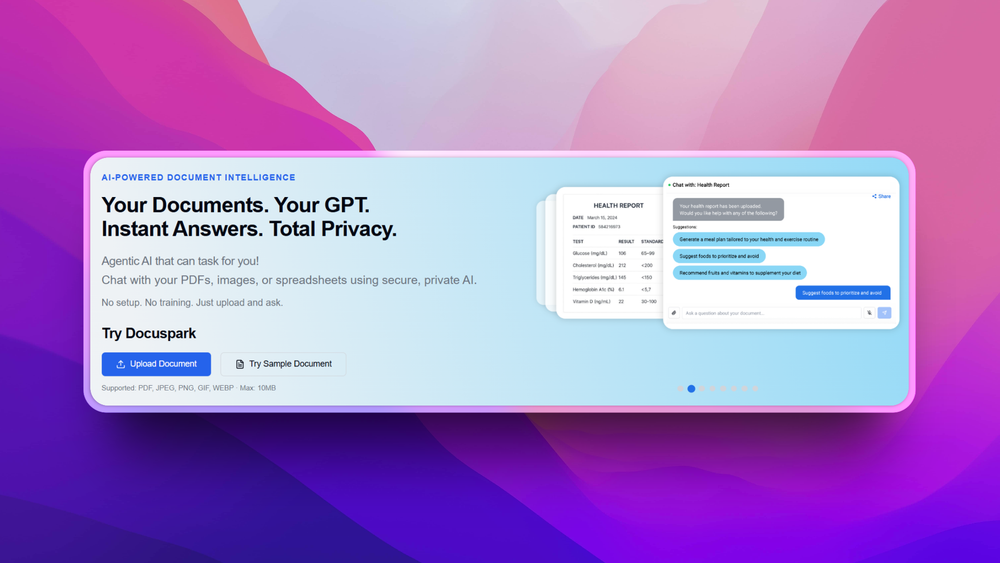
DocuSpark is a document automation platform designed to unlock action from any uploaded file. With agentic AI built in, it instantly parses documents turning them into smart chat interfaces where you can ask questions, generate summaries, auto-fill forms, extract data, or even send emails based on content. Everything happens in a secure, encrypted environment with no technical setup required.
Key Features:
- Chat-Centric Document Understanding
- Upload PDF, image, or spreadsheet and immediately interact with it via chat—ask questions or dig into content.
- Agentic AI Task Execution
- Beyond retrieval, DocuSpark can autofill form fields or send emails based on parsed document instructions.
- Smart Extraction & Summary
- Auto‑extract tables, charts, and report highlights and generate quick summaries or answers within seconds.
- Team Workspaces & Access Controls
- Share documents securely, manage user permissions, and collaborate via inline chat threads.
- Enterprise-Grade Security
- AES‑256 encryption, strict data privacy, and storage isolation with SOC‑2 compliance available on higher tiers.
Use Cases
- Legal & Compliance Teams Upload contracts or policy documents and auto-generate key clause summaries, exception flags, or output to spreadsheet.
- Financial Advisory & Healthcare Chat through reports (bank statements, insurance claims, EHRs) to draft responses, extract key metrics, or request next steps.
- Sales & Competitive Intelligence Analyze external decks and pitches, extract feature lists or win/loss clues, and feed into CRM or outreach templates.
- Customer Support & Operations Intake user-uploaded documents and automate responses, issue tagging, or next-step emails with no manual data entry.
- Content & Research Workflows Build knowledge hubs by uploading sources; then query for summaries, comparisons, or citation-ready research briefs.


