

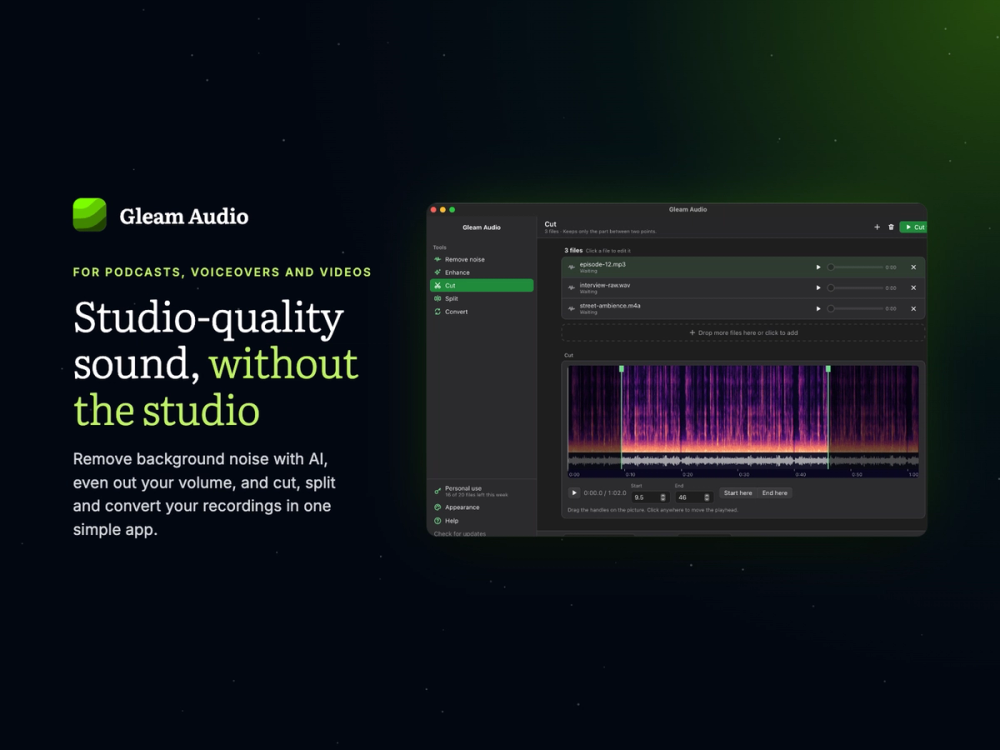
Gleam Audio is an audio cleanup and editing tool that runs locally on macOS, Windows, and Linux. It uses on-device AI to remove background noise from speech, helping podcasters, voiceover artists, and audiobook creators produce clearer recordings without uploading files to the cloud. With batch processing, loudness adjustment, trimming, splitting, and audio format conversion, Gleam Audio simplifies everyday audio editing while keeping recordings private and working offline.
Key Features
- Batch Noise Reduction: Clean multiple recordings or an entire podcast season in one run by removing background noise from a batch of audio files.
- AI-Powered Voice Cleanup: Remove room noise and unwanted background sounds from speech using on-device AI, with an adjustable noise reduction slider.
- Loudness Normalization: Match the volume of audiobook chapters and other recordings using presets for audiobooks, podcasts, streaming, and broadcast.
- Audio Trimming: Cut the beginning and end of recordings to precise points using a visual audio waveform.
- Audio Splitting: Divide long recordings into sections at selected points or split them into equal-length parts.
- Multi-Format Audio Conversion: Convert audio files between MP3, WAV, M4A, FLAC, OGG, OPUS, and other supported formats.
- Offline Processing: Clean and edit recordings without an internet connection or cloud uploads.
- Cross-Platform Support: Run the application on macOS, Windows, and Linux.
Benefits
- Simplified Audio Cleanup: Remove background noise in one pass without manually sampling noise or adjusting complicated audio processing settings.
- Professional-Sounding Recordings: Improve voice recordings made at home or in untreated rooms without needing a studio setup or advanced audio repair skills.
- Private Audio Processing: Keep unreleased podcast episodes, audiobook recordings, and client audio files on your own computer instead of uploading them to external servers.
- No Internet Dependency: Work on audio projects offline without waiting for uploads or interruptions caused by an unreliable connection.
- Faster Batch Editing: Process multiple files together instead of cleaning recordings one at a time.
- Accessible Batch Processing: Clean entire lists of recordings in one run, including on the free plan, according to the provided product details.
- Streamlined Audio Workflows: Combine noise removal, loudness adjustment, trimming, splitting, and format conversion in one desktop application.
- Flexible Platform Compatibility: Use the same audio cleanup workflow across macOS, Windows, and Linux.


