

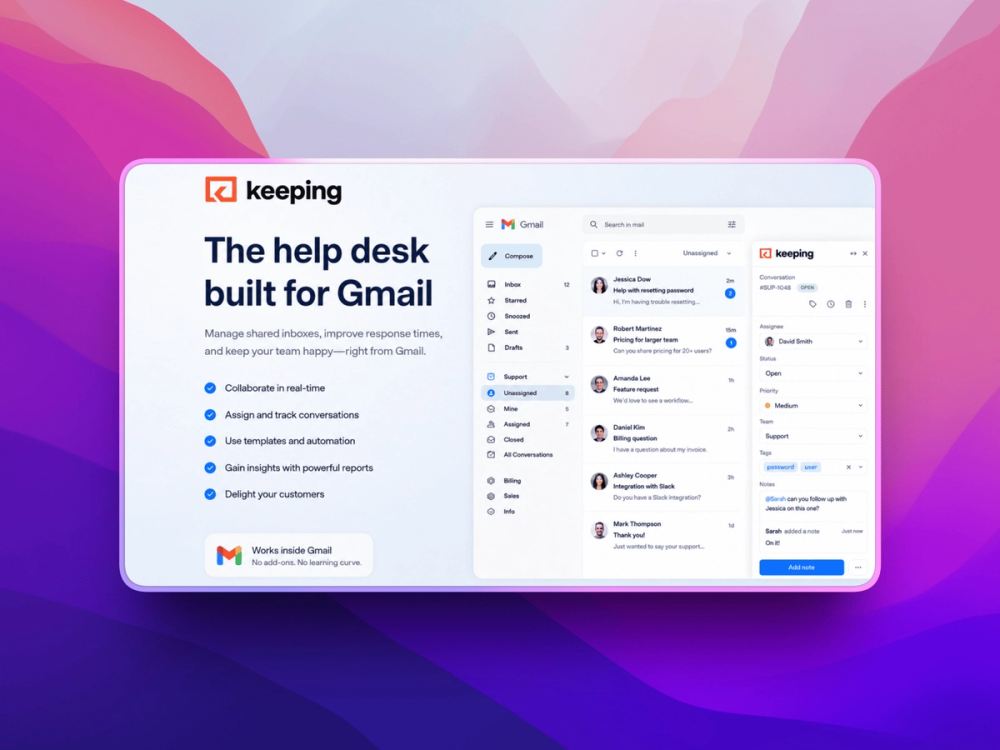
Keeping turns Gmail into a collaborative customer support workspace, helping teams manage shared inboxes as organized support tickets without moving to a separate helpdesk. Teams can assign conversations, track statuses, automate workflows, monitor response times, and collaborate directly from the Gmail interface.
Key Features
-
Shared Inbox: Turn support and team email addresses into collaborative inboxes where multiple agents can manage customer conversations together.
-
Ticket Management: Convert incoming emails into trackable tickets with assignments, statuses, tags, and ownership.
-
Gmail-Based Support: Manage customer support directly inside Gmail without learning or switching to a separate helpdesk platform.
-
Workflow Automation: Automatically assign, tag, organize, and process incoming emails based on customized rules.
-
Collision Detection: Prevent duplicate responses by showing when another teammate is working on the same customer email.
-
Unlimited Mailboxes: Add multiple shared inboxes for different teams, departments, or support addresses.
-
Support Analytics: Monitor ticket volume, response times, team activity, and other customer support performance metrics.
-
Helpdesk Features: Use templates, SLAs, CSAT surveys, integrations, and reporting tools to build a more structured support operation.
Benefits
-
Keep Support in Gmail: Give teams helpdesk functionality without forcing them to abandon the email environment they already use.
-
Reduce Response Errors: Collision detection and clear ownership help prevent duplicate replies and missed customer conversations.
-
Automate Repetitive Work: Let workflows handle routine tagging, assignment, and organization so agents can focus on customers.
-
Simplify Team Collaboration: Make it easy for multiple people to work together on shared customer inboxes without stepping on each other's work.
-
Scale Support Easily: Add mailboxes and team members as your support operation grows without introducing a complicated new system.
-
Understand Team Performance: Use analytics to identify response bottlenecks, monitor workload, and improve customer service.


